How to Format a Resume for ATS: The Complete 2026 Formatting Guide
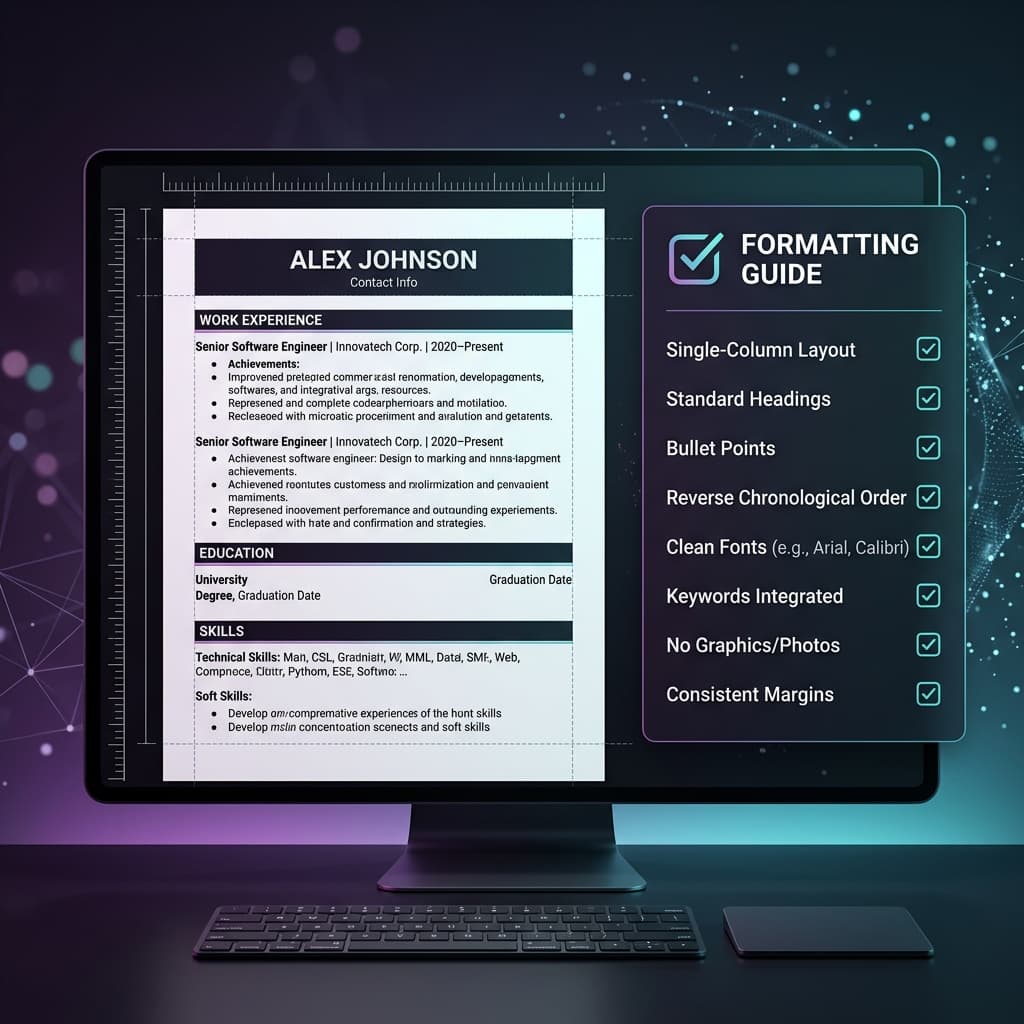
The most beautifully designed resume in the world is worthless if it cannot be read by an ATS. Before you write a single word, the way you format your resume determines whether it even gets seen.
Why Resume Formatting for ATS Is Non-Negotiable
When you submit a resume to a job application portal, the first thing that happens is a parsing process. The ATS extracts the text from your document and maps it into structured database fields: name, contact, work history, education, skills. If your formatting is incompatible with the parser, your data gets scrambled or dropped entirely. The result is a candidate profile that looks like garbage in the recruiter's database — even if your credentials are perfect.
Understanding how to format a resume for ATS is therefore not a cosmetic exercise — it is a technical requirement for getting your application in front of a human reviewer. This guide covers every formatting decision you need to make, in the order you should make them.
Document Structure: The Foundation of ATS Formatting
Layout: Single Column Only
The single most important formatting decision you will make is choosing a single-column layout. Multi-column layouts — popular in visually designed templates — cause ATS parsers to read text horizontally across columns rather than vertically down each column. This scrambles your content. Your current job title gets concatenated with your old company name, your skills merge with your education — the entire document is corrupted.
Use a clean, linear, single-column layout from the very top of the page to the very bottom. This is the foundation on which everything else is built.
Margins: 0.5 to 1 Inch on All Sides
Maintain margins of between 0.5 and 1 inch on all sides. Margins that are too narrow can cause text to be cut off during parsing. Margins that are too wide waste valuable real estate. The standard recommendation of 1-inch margins on all sides is universally safe.
Contact Information: Body Text Only
Your name, phone number, email address, LinkedIn URL, and location should all be placed in the main body of the document — not in the header or footer. Many ATS systems skip header and footer regions when parsing. If your contact information is in the header, your profile may be created without any way for the recruiter to contact you.
Check If Your Resume Format Is ATS-Compatible Right Now
Upload your resume below and paste a job description. Our AI instantly detects ATS formatting errors, checks your keyword match rate, and auto-fixes your resume layout — so you know exactly how recruiters see you before you apply.
Upload Resume
PDF, DOCX, or TXT
Tap to upload or drop file
PDF, DOCX, or TXT
Don't have a resume?
Build a professional ATS-friendly resume from scratch in minutes.
Target
Select a Job Role to check your ATS score against that profession and have our AI optimize your resume for it. Switch to Job Description for a precise analysis.
Typography: The Rules Every Resume Must Follow
Font Selection
Use one of the following ATS-safe fonts throughout your entire document:
- Arial — Clean, modern, universally compatible
- Calibri — Microsoft's default, excellent ATS compatibility
- Times New Roman — Traditional but fully ATS-safe
- Georgia — Serif option, excellent readability
- Roboto — Modern, widely supported
- Verdana — High readability, ATS-compatible
Avoid decorative fonts, script fonts, or any typeface not pre-installed on most computers. Custom fonts can cause character encoding errors during the parsing process.
Font Size and Hierarchy
Establish a clear typographic hierarchy using size and weight — not color or exotic formatting:
- Your Name: 16–20pt, bold
- Section Headers: 12–14pt, bold
- Body Text: 10–12pt, regular
Avoid using color to convey information hierarchy. Colored headers look great on screen but can create parsing ambiguity in systems that convert documents to plain text.
Section Structure: The ATS-Approved Template
Structure your resume sections in this order for maximum ATS compatibility and recruiter readability:
- Contact Information (Name, Phone, Email, LinkedIn, Location)
- Professional Summary (3-4 lines, keyword-rich)
- Work Experience (Reverse chronological, metrics-driven bullets)
- Education (Degree, Institution, Graduation Year)
- Skills (Technical and soft skills, keyword-aligned)
- Certifications (Official names, issuing authority, year)
Bullet Points and Formatting Elements
Use Standard Bullet Symbols
Use standard circular (•) or square (▪) bullet points throughout your work experience. Avoid using custom symbols, arrows (→), dashes used as bullets, or icon-based list markers. These can be misinterpreted or converted to garbled characters during ATS parsing.
Avoid Tables and Text Boxes
Tables are a formatting choice that feel organized visually but are catastrophic for ATS parsing. Content inside table cells is extracted in an unpredictable order that does not match the visual layout you intended. Similarly, text boxes in Microsoft Word or Google Docs are often completely ignored by parsing engines — making any content inside them invisible to the ATS.
Horizontal Lines: Use Sparingly
Simple horizontal lines (rules) to separate sections are generally safe and widely supported by modern ATS parsers. However, avoid decorative dividers, wavy lines, or double-rule borders — these can sometimes be interpreted as text dividers that split what should be connected content.
File Format: PDF vs. DOCX for ATS Submission
Both PDF and DOCX are generally supported by modern ATS platforms, but with caveats:
| File Type | Pros | Cons |
|---|---|---|
| PDF (Text-Based) | Preserves formatting perfectly. Looks professional. Modern ATS handles it well. | Image-based PDFs (scans) are not parsable. Must be text-searchable. |
| DOCX | Universally parsable. Best compatibility with all ATS systems. | Formatting may shift on different software versions. Less visual consistency. |
Recommendation: If the job posting specifies a format, always follow their instructions. If there is no specification, a clean text-based PDF is the preferred modern choice. Always verify your PDF is text-searchable by selecting and copying text from it in a PDF viewer before submitting.
The Fastest Way to Verify Your ATS Format Is Correct
Even if you follow every rule, subtle formatting issues can hide in your document. The only reliable way to verify your resume is ATS-compatible is to test it with a dedicated ATS checker that simulates how a real ATS parses your document.
ATS Resume Flow provides an instant format validation scan that shows exactly how ATS software extracts your data. You will see your parsed contact details, experience, education, and skills — giving you confidence that your beautifully formatted resume looks exactly as intended inside the recruiter's database.