Build the Perfect Resume from Scratch with AI: A Step-by-Step Guide
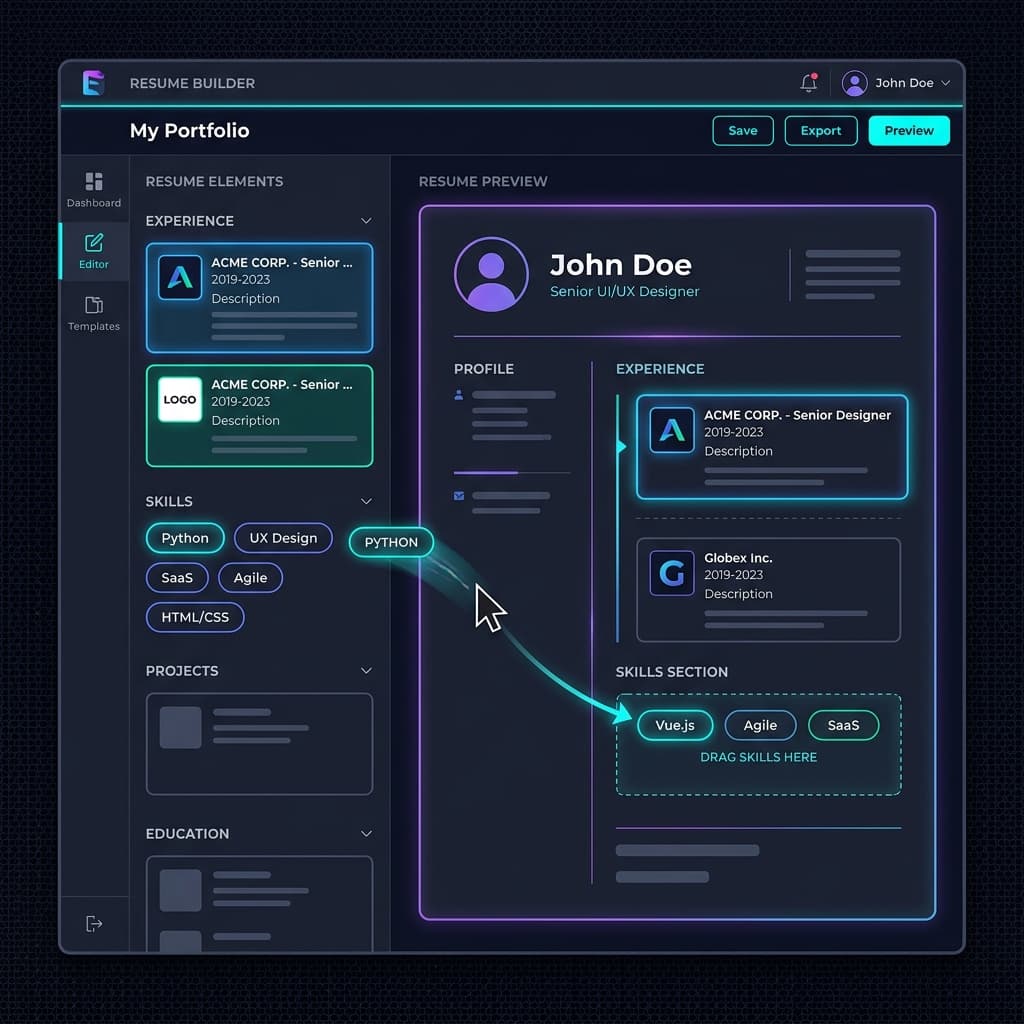
Introduction: Overcoming the Blank Page Syndrome
Staring at a blank document trying to write your own resume is one of the most intimidating challenges in a career search. What sections do you include? How far back should your work history go? What is the correct layout that prevents you from getting rejected by corporate algorithms?
Many candidates attempt to bypass this challenge by downloading colorful, design-heavy templates from web editors. They believe that unique colors, grids, sidebars, and graphics will grab a recruiter's attention. Unfortunately, they do not realize that these complex designs are the number one reason why resumes get rejected by automated systems. The parser gets confused by the layout, corrupts the text, and filters out the application before a human ever gets to look at it.
If you want to land more interviews, you must build a document that strikes a perfect balance: simple and clean enough to parse flawlessly, yet impact-driven enough to impress human hiring managers. In this detailed, step-by-step tutorial, we will show you how to build resume from scratch, write powerful accomplishment-oriented bullet points, and leverage a modern AI resume builder to automate your visual layout.
The Anatomical Structure of a High-Scoring Resume
A professional, ATS-compliant resume should follow a logical chronological structure. This structure helps the parsing engine correctly extract and categorize your profile details. Your document should contain the following core sections in this exact order:
- Contact Information: Clear, readable details located in the main document flow. Never place contact info inside headers or footers, as many parsers ignore them.
- Professional Summary: A concise, 3 to 4-sentence overview of your career accomplishments, core skills, and value proposition.
- Work Experience: Your employment history listed in reverse-chronological order (your current or most recent job first).
- Technical & Core Skills: A structured list of your technical tools, platforms, languages, and methodologies.
- Education: Your academic degrees, major fields of study, institutions, and graduation years.
- Certifications & Projects (Optional): A section highlighting additional qualifications, credentials, or personal projects that add weight to your application.
Let us look at each section in detail to understand how to write and format them for optimal results.
Section-by-Step Writing Guide
1. Contact Details: Avoid Formatting Bugs
Your contact section should be clean and readable. Include your full name (large bold font), email address, phone number, city and state, and your professional LinkedIn URL.
Avoid writing your full home street address (for privacy reasons and parser simplicity), and do not include links to personal social media platforms unless they are directly relevant to the role (e.g., GitHub for developers, Behance for designers). Keep it simple:
2. The Summary Section: Your Executive Hook
Your professional summary should not be an "objective statement" describing what you want from the company (e.g., "Looking for a challenging position to grow my skills"). Instead, write a value statement highlighting what you can deliver to the employer.
Structure your summary in three sentences: First sentence: Your job title, years of experience, and core area of expertise. Second sentence: Your highest-impact professional achievement, supported by a quantitative metric. Third sentence: The key skills and methodologies you will bring to the new role, aligning with the job description's keywords.
The STAR Method for Writing Accomplishment Bullets
The experience section is the core engine of your resume. Many candidates write bullets that read like list of daily tasks: "Responsible for managing social media accounts" or "Attended weekly team meetings." This tells recruiters what you were supposed to do, but not what you actually achieved.
To make your resume stand out, write impact-driven bullet points using the STAR Method:
- Situation: The context or challenge you were facing.
- Task: The objective or goal you needed to achieve.
- Action: The specific steps you took, tools you used, and strategies you implemented.
- Result: The measurable outcome, backed by data, percentages, or dollar values.
Let us look at how a basic, task-oriented bullet point is transformed into a high-impact STAR bullet:
Before (Task-Oriented)
"Managed company email marketing campaigns and built newsletters."
After (STAR Method)
"Designed and executed targeted email campaigns using HubSpot, improving open rates by 22% and generating $45K in revenue."
Every work experience bullet should follow this structure. Always lead with a strong action verb, describe the business problem, outline your action, and highlight the numerical result.
STAR Method Deep-Dive: Multi-industry Case Studies
To apply the STAR methodology effectively, it is helpful to look at specific examples across different industry sectors:
A. Tech & Software Engineering
Situation: The company's mobile application was experiencing slow load times, leading to high user checkout drop-offs.
Task: Reduce mobile application latency and improve checkout conversion rates.
Action: Refactored backend API endpoints, implemented database caching using Redis, and optimized image assets.
Result: Reduced load times by 40%, raising successful checkout transactions by 15% and saving $20K in monthly server infrastructure costs.
B. Project Management & Operations
Situation: The product development department had overlapping tasks and communication gaps, leading to project delays.
Task: Restructure team coordination workflows and ensure project delivery stays on schedule.
Action: Transitioned the team to Jira, established daily Scrum Standups, and instituted weekly milestone tracking reviews.
Result: Boosted project on-time delivery rates from 75% to 98% within the first two quarters of adoption.
C. Marketing & Growth
Situation: The company's blog was receiving low organic search volume and poor candidate signups.
Task: Increase organic web traffic and scale monthly marketing signups.
Action: Conducted comprehensive SEO keyword research, rewrote historical blog posts, and integrated strategic lead-generation call-to-actions.
Result: Scaled organic search traffic by 120% and boosted monthly subscriber acquisition rates by 35%.
Demystifying Formatting Elements: Fonts, Margins, and Spacing
While the content of your resume is critical, the technical layout must follow standard parameters to prevent parsing errors. Let us discuss the specific measurements that work best for Applicant Tracking Systems and human readers:
- Font Sizes: Stick to 10pt to 12pt for body text paragraphs and bullet points. Your name at the top should be between 20pt and 24pt, and section headers should be set between 13pt and 15pt.
- Margins: Ensure your document margins are set to exactly 1.0 inch or a minimum of 0.5 inches on all sides. Setting margins too narrow to fit more content makes the document look crowded and disrupts parsing bounds.
- Line Spacing: Use line spacing of 1.15 to 1.25. Text that is packed together with no spacing will merge adjacent lines during plain-text parser extraction.
Drafting Professional Summaries by Career Level
To help you write a compelling professional summary, we have drafted three complete examples that you can adapt based on your career stage:
1. Entry-Level/Recent Graduate
"Detail-oriented Computer Science graduate with hands-on project experience in building API backends and data pipelines. Proven ability to write optimized code in Python and Javascript, demonstrated by engineered microservice projects that reduced database response latency by 20%. Eager to apply software engineering competencies to deliver scalable products for corporate engineering teams."
2. Mid-Career Professional
"Results-driven Digital Marketing specialist with 6 years of experience managing paid search campaigns and organic SEO growth strategies. Spearheaded brand campaigns that scaled monthly search volume by 80% and lowered Customer Acquisition Cost (CAC) by 14%. Expert in utilizing search analytics platforms, editorial calendars, and team coordination workflows to hit enterprise acquisition targets."
3. Senior Director / Executive
"Strategic Operations Executive with over 12 years of leadership experience managing cross-functional product teams and global supply chains. Orchestrated operational restructuring projects that eliminated process redundancies, resulting in $1.4M in annual operating expense savings. Expert in leveraging data-driven governance frameworks, Jira integrations, and Agile Scrum methodologies to lead departmental expansions."
How to Structure and Write a Resume with Minimal Experience
If you are a student, recent graduate, or transitioning careers, you might feel that you do not have enough relevant work history to fill a page. However, you can still build a high-scoring resume by highlighting academic projects, open-source contributions, volunteer coordination, and leadership in student clubs.
When listing a project, treat it exactly like a job entry: include the project name, your role (e.g., "Lead Developer" or "Project Coordinator"), the dates active, and 2 to 3 bullet points detailing the tools used and outcomes achieved. A well-written technical project section showing a functional application of Python or product design can score just as high on parsing algorithms as traditional corporate experience.
Step-by-Step Draft Process: Local Processor vs Online Builder
When you are ready to write, you have two main routes: using a local word processor (like Microsoft Word or Google Docs) or a dedicated resume maker online.
If you choose a local processor, you must manually manage layout constraints—setting page margins to exactly 1.0 inch, checking line spacing, verifying that headings are not inside tables, and ensuring that no graphics interfere with the text. If you use an online AI resume builder, the system handles these mechanical constraints automatically. You simply focus on writing your achievements, and the software compiles them into a structured, clean, single-column PDF that is guaranteed to parse flawlessly.
Handling Non-Traditional Careers on a Resume
If you have gaps in your work history, freelance contracts, or have run a self-employed business, formatting your resume correctly is vital. Parsers look for continuous date ranges to evaluate your experience duration. If you leave long gaps or write confusing titles, the system will assume you have periods of unemployment, which flags your application.
To address this, group your contract work or freelance client projects under a single employer block: e.g., "Freelance Software Engineer Consultant" from "June 2022 - Present." Describe your achievements inside this block, just like a regular job. This creates a continuous timeline of professional engagement that parses cleanly and shows recruiters you were actively consulting, rather than taking a career break.
Strong Action Verbs to Power Your Writing
To keep your writing dynamic and engaging, avoid repeating basic verbs like "managed," "led," or "helped." Instead, select active, industry-specific verbs:
- Leadership/Management: Spearheaded, Directed, Orchestrated, Coordinated, Initiated, Governed.
- Innovation/Creation: Engineered, Conceived, Formulated, Authored, Pioneered, Devised.
- Execution/Operations: Executed, Automated, Streamlined, Restructured, Dispatched, Optimized.
- Research/Analysis: Evaluated, Audited, Diagnosed, Quantified, Extracted, Inspected.
How to List Your Skills Section for Parsing Success
The skills section is the easiest place to integrate core target keywords. However, you should avoid presenting a massive, unformatted block of keywords. Instead, group your skills into logical, search-friendly categories. This formatting approach makes your skills section highly readable for human recruiters while ensuring that the parsing engine registers each term:
Technical Stacks
React, Node.js, Python, SQL, Redis, Git, Docker, Kubernetes
Methodologies
Agile Scrum, CI/CD Pipelines, SDLC, Test-Driven Development
Specialties
Data Engineering, API Development, Mobile Optimization, Project Governance
Why Visual Resume Templates Fail
It is tempting to use design-focused template platforms to build a visually unique resume. However, these templates prioritize human aesthetics over machine readability.
When an ATS parses a document with multiple columns, sidebars, charts, or images, the text is extracted in a linear sequence that does not match the visual layout. For example, the parser might merge a skill list on the left with a job description on the right, creating a garbled text string.
Furthermore, many visual builders save the document as a flattened image PDF. Since the document contains no underlying text characters, the parser registers a blank file and assigns a score of zero. Stick to text-based, single-column documents built with ATS friendly templates.
Building Your Resume Automatically with ATS Resume Flow
If you do not want to wrestle with Microsoft Word margins, line heights, or text box issues, a resume maker online is the perfect solution.
ATS Resume Flow features a dedicated AI resume builder that handles the layout for you. When you enter your experience, our system automatically formats your document into a clean, single-column, ATS-friendly structure.
Our builder includes real-time scoring, keyword optimization suggestions, and pre-written bullet point prompts to ensure your document passes the scanner and highlights your professional value. Head over to our Resume Builder to write your high-scoring resume today.
Instantly Check Your ATS Score
& Auto-Tailor Your Resume
Upload your resume and select your target Job Role or paste a custom Job Description. Our AI will analyze your match rate, automatically rewrite your resume to perfectly align with your target, and generate a custom cover letter—with zero manual editing required.
Upload Resume
PDF, DOCX, or TXT
Tap to upload or drop file
PDF, DOCX, or TXT
Don't have a resume?
Build a professional ATS-friendly resume from scratch in minutes.
Target
Select a Job Role to check your ATS score against that profession and have our AI optimize your resume for it. Switch to Job Description for a precise analysis.